
Free U.S. passport photo compliance check
Free passport photo check online
Check your photo for common problems against U.S. State Department photo rules. Pay $8 only when you want the prepared output: a 4x6 print sheet for paper applications or an upload-ready JPEG for eligible online renewal.
What you get
A clear answer before you pay
Upload your real photo for a free compliance check. Pay only if you want the prepared output file.
Free check against current rules
4x6 print sheet or digital JPEG
$8 only for the prepared file
The service
What PassportSnapper does
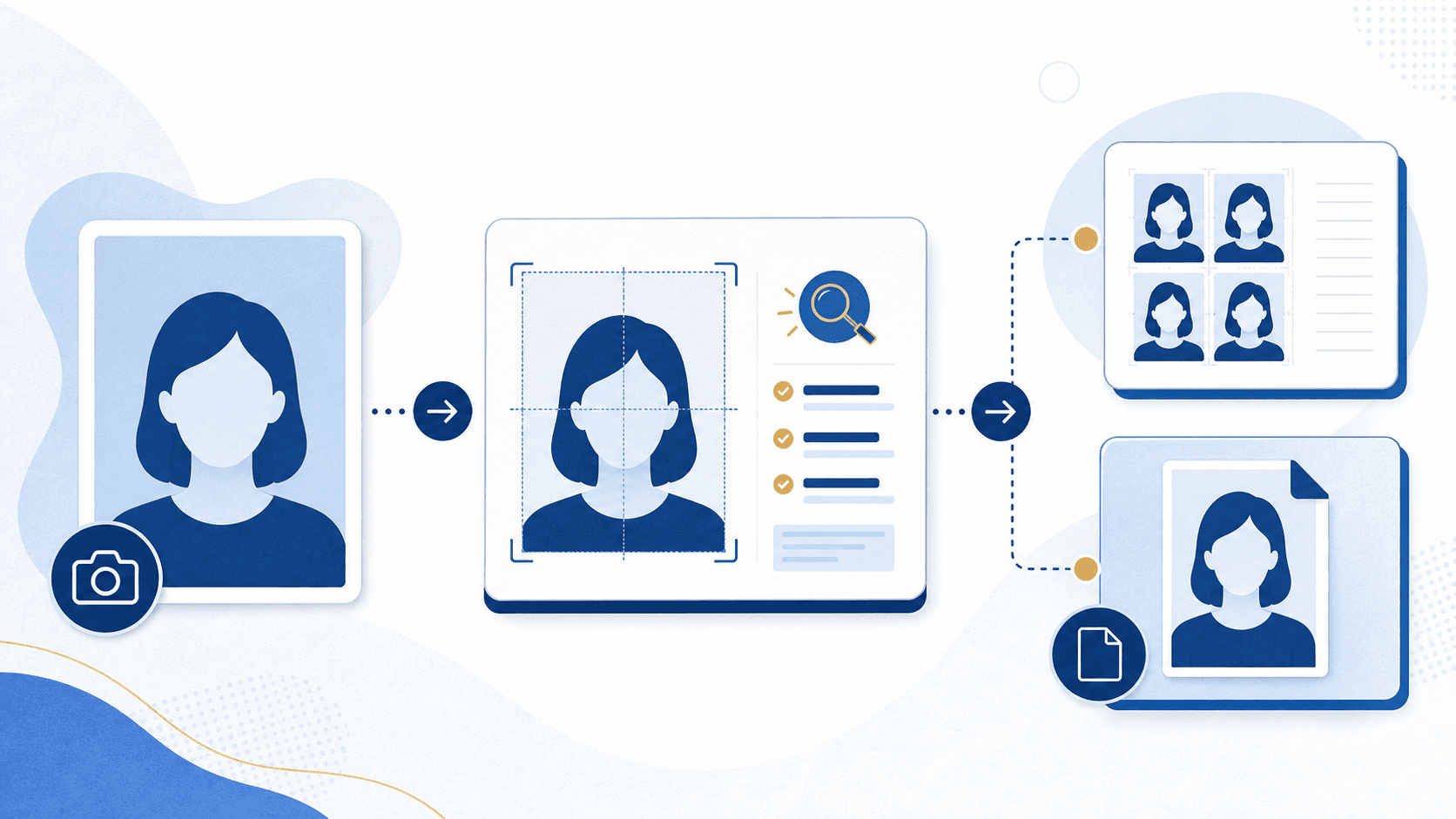
PassportSnapper checks your U.S. passport photo against State Department requirements, then prepares a print sheet or digital JPEG for the application route you choose.
- Free check
- Pay $8 only for your selected photo file
- Output
- 4x6 print sheet or upload-ready JPEG, plus instructions
- What it avoids
- No retouching, background replacement, filters, or AI changes
- Source
- Paper-photo guidance and digital-upload guidance
Last reviewed July 16, 2026
Compliance-first validation
Built to reduce rejection risk
Paper and digital flows are checked against the relevant U.S. State Department guidance published at travel.state.gov and travel.state.gov digital upload guidance.
If the State Department rejects your validated photo, your $8 purchase is covered by the refund guarantee.
PassportSnapper validates and formats your real photo. It does not retouch faces, replace backgrounds, apply filters, or make AI changes.
How it works
Prepare your passport photo in 3 steps
- 1Upload or take your photo
- 2Get a free compliance check against current State Department guidance
- 3Pay $8 if you want the prepared file
Requirements
What we check for each route
Printed-paper and eligible online-renewal submissions have different file and output rules. Choose the route that matches your application.
Print / paper application
- Photo size
- 2 x 2 inches for printed U.S. passport photos
- Head position
- Centered face with head sized 1 to 1 3/8 inches from chin to top of head
- Background
- Plain white or off-white background with no shadows, texture, lines, or objects
- Lighting
- Even light with no harsh shadows, washout, blur, grain, or pixelation
- Expression
- Face the camera directly with eyes visible and mouth closed
- Digital changes
- Original photo only, with no filters, retouching, background replacement, or AI changes
Digital / eligible online renewal
- File upload
- JPG, JPEG, PNG, HEIC, or HEIF, 54 KB to 10 MB
- Framing
- Centered head and shoulders, full face visible, with shoulder edges near the bottom
- Background
- Plain white or off-white background with no shadows, texture, lines, or objects
- Expression
- Face the camera directly with both eyes open; use a neutral expression or natural smile without showing teeth
- Quality
- Original high-quality color image, not a scan or photo of a printed image
- Digital changes
- No filters, retouching, red-eye correction, background replacement, or AI changes
Simple pricing
Free check, $8 for the prepared file
Upload first and see whether your photo can pass before you pay. Buy only the output that matches your application: print or eligible online renewal.
Answers for travelers
Passport photo FAQ
Why do passport photos get rejected?
Photos can be held for the wrong head size, shadows, a busy background, glasses, blur, or digital alterations. Check those details before you submit. PassportSnapper can flag common problems, but the State Department decides whether to accept the photo.
What are the current U.S. passport photo requirements for a paper application?
For a paper application, the printed U.S. passport photo must be 2 x 2 inches with the head sized between 1 and 1 3/8 inches. It also needs a plain white or off-white background, even lighting, a face-forward pose, and no digital alterations or AI enhancements.
Can I use an AI-enhanced or edited photo for my US passport?
No. The State Department says to submit the original, unedited photo. PassportSnapper checks and formats your photo without retouching faces or replacing the background. The State Department still makes the final decision.
What happens if my passport photo is rejected?
The State Department will tell you how to provide a replacement photo, and the application may be delayed. If a photo you prepared with PassportSnapper is rejected, the $8 purchase is covered by our money-back guarantee.
Can I take my own passport photo at home?
Yes. You can take your own passport photo at home if it meets the US Department of State requirements for size, lighting, background, expression, and image quality. PassportSnapper validates your at-home photo against the current rules before you submit.
How do I take a passport photo with my iPhone?
Use even light, stand in front of a plain white or off-white background, face the camera directly, and leave room around your head and shoulders. You can then check the photo with PassportSnapper before printing or uploading it.
What size is a U.S. passport photo for a paper application?
A US passport photo must be 2 x 2 inches, or 51 x 51 mm, with the head sized between 1 and 1 3/8 inches from the bottom of the chin to the top of the head.
What background color is required for a passport photo?
US passport photos require a plain white or off-white background with no shadows, texture, or distracting objects.
Are digital passport photos accepted for US passport applications?
Digital uploads are accepted for eligible online renewals. Paper applications require a printed 2 x 2 inch photo. Choose Digital / Online Renewal only when you are eligible to renew online; otherwise choose Print / Paper Application.
How much does a passport photo cost online?
The PassportSnapper photo check is free. If you want the prepared print sheet or digital JPEG, it costs $8 and includes instructions and a money-back guarantee if the photo is rejected.
Pick your situation
Passport photo help by application type
Latest guidance
Latest passport photo guides
Passport Photo Makeup, Beard, and Jewelry
What you can wear in a U.S. passport photo: makeup, beards, piercings, jewelry, hair, and clothing — and the few things that must come off.
United States · 2026-08-27Matte or Glossy Passport Photos? U.S. Paper Rules
U.S. passport photos can use matte or glossy photo-quality paper. Check the 2 x 2 inch size, sharpness, and print condition before submitting.
United States · 2026-08-25Baby Passport Photo Requirements and Common Mistakes
A practical guide to U.S. baby passport photo requirements: the sheet and car-seat setups, infant eye flexibility, and mistakes that can lead to rejection.
United States · 2026-08-20Can You Take a Passport Photo With an iPhone?
Yes. An iPhone passport photo works if it is sharp, original, and unedited. The camera settings, setup, and file handling that keep it compliant.
United States · 2026-08-18How to Print a Passport Photo Cheaply
A low-cost way to print a U.S. passport photo without cutting corners on the size, paper, and source-photo rules that matter.
United States · 2026-08-17Can You Scan a Passport Photo for U.S. Online Renewal?
You cannot scan or photograph a print for U.S. online passport renewal. Use the original digital file or take a new photo. Learn what to request from a store.
United States · 2026-08-13Online Passport Renewal Photo File Size and Formats
U.S. online renewal accepts JPG, JPEG, PNG, HEIC, or HEIF photos between 54 KB and 10 MB. Check the original file and avoid scans or image edits.
United States · 2026-08-11Where to Print a Passport Photo Near You
How to find a local place to print a U.S. passport photo, what to bring, and the print requirements to check before you submit it.
United States · 2026-08-10Digital or Printed Passport Photo? Choose the Right Format
Online U.S. passport renewal needs a digital upload; paper applications need a 2 x 2 inch print. Choose your route before preparing the photo.
United States · 2026-08-06Passport Photo Checker: What It Can and Cannot Check
How a passport photo checker works, which U.S. rules it can verify, which it cannot, and why the government still makes the final acceptance decision.
United States · 2026-08-04What Happens If Your Passport Photo Is Rejected?
A rejected passport photo can delay your application. Learn what to watch for and how to respond.
United States · 2026-07-30U.S. Passport Photo Rules: Avoid Common Rejection Risks
A practical guide to U.S. passport photo rules, including lighting, expression, glasses, clothing, printing, and unedited images.
United States · 2026-07-26Can You Use AI for a U.S. Passport Photo? Rules and Limits
AI-generated photos and edits do not meet U.S. passport photo rules. Learn the difference between altering a photo, checking it, and cropping for upload.
United States · 2026-07-23How to Take a Passport Photo at Home
Take a U.S. passport photo at home with the right background, lighting, pose, framing, and no digital edits.
United States · 2026-07-21